CA law: Can I use map app on phone while driving? Call? Text? | Sacramento Bee
Thursday, August 28, 2025

Monday, August 25, 2025
SỐ 16 ĐỒNG NGHĨA VỚI THÀNH LŨY TAN NÁT (SHATTERED CITADEL)
LÂM = 314 = 8
QUANG = 16153 = 16 = 7
THI = 451 = 10 = 1
Cộng lại: 8 7 1 = 16.
Phạm văn Phú sanh ngày 16/10/1928.
Hai vị tướng này, một người có tên bằng 16, người kia có ngày sanh là 16. Sau đây là 1 phần của ý nghĩa của số 16, dựa theo sách Linda Goodman's Star Signs.
"Theo nguời Chaldeans cổ đại thì số 16 đuợc biểu tuợng bởi hình ảnh “một Tòa Tháp bị Sét đánh, từ đó một nguời đang rơi xuống, với một Vuơng miện trên đầu” (a Tower struck by Lightning, from which a man is falling, which a Crown on his head”). Số này cảnh báo về một tai họa tiền định lạ lùng (strange fatality), cũng như sự nguy hiểm của các tai nạn và sự thất bại của những kế hoạch của nguời mang số đó. Nếu tên bằng 16, điều dĩ nhiên là khôn ngoan đổi tên để tránh tác động của nó. Nếu ngày sanh là ngày 16 của bất cứ tháng nào, sự thử thách của số 16 phải đuợc cẩn thận đón nhận/đáp ứng, để cho tác động/ảnh huởng có thể giảm nhẹ tới một mức không khắc nghiệt lắm (the challenge of the 16 must be met, so that its effect may be diluted to a milder vibration). Để tránh khuynh huớng tiền định đầy khắc nghiệt này (the fatalistic tendency) của ngày sanh là số 16, nguời (có ngày sanh là 16) này phải cố gắng lập kế hoạch truớc khi làm bất cứ việc gì (one must endeavor to make all plans in advance), để chắc chắn rằng mọi khả năng của thất bại phải đuợc tiên liệu/biết truớc (making certain that any possibility of failure is anticipated) và phải đuợc né tránh/đi vòng quanh/đổi huớng (circumvented) bằng cách chú ý cẩn thận từng chi tiết.
Trong khi đó khi nhận lịnh rút bỏ Kontum, Pleiku, và Phú Bổn của tổng thống Thiệu, tướng Phú đã làm 1 cách hấp tấp, ko chuẩn bị kỹ lưỡng, bất chấp ý kiến của ĐT Lê khắc Lý tham mưu trưởng của QĐ 2 là phải cần ít nhứt 1 tuần để soạn thảo kế hoạch rút quân. Cuộc rút quân bắt đầu ngày 16/3, nghĩa là chỉ sau 2 ngày từ cuộc họp tại Cam Ranh.
Cũng như vậy, tướng LQ Thi, có tên bằng 16, đã hấp tấp thảo kế hoạch rút quân khỏi phía bắc đèo Hải Vân (do ông phụ trách), và trình lên tướng Trưởng. Theo hồi ký của chỉ huy các đơn vị ở bắc đèo Hải Vân, thì tính đến trước ngày 25/3/75, tình hình ở khu vực này như sau:
"Theo hồi ký của Đại Tá Nguyễn Thành Trí, lúc đó là Tư Lệnh mặt trận Tây Bắc Huế thuộc đạo quân Tiền Phương QĐI, thì lệnh hành quân lui binh này được soạn thảo bởi Trung Tướng Lâm Quang Thi tại Thuận An vào trưa ngày 24/3/75 và được Đại Tá Lê Ngọc Hy, Tham Mưu Trưởng QĐI TP mang về Đà Nẳng trình cho Trung Tướng Ngô Quang Trưởng TL QĐI, được Tướng Trưởng ký chấp thuận lúc 5 giờ 30 chiều 24/3/75. (TT2 TQLC trang 537-538)
- Theo Đ/Úy Nguyễn Quang Đan thì vào một buổi sáng tháng Ba, anh không nhớ ngày, (theo tôi thì có lẽ là sáng 25/3/75) anh nhận được bản sao của lệnh hành quân triệt thoái QĐI Tiền Phương đã được Tướng Trưởng ký, anh vội vã đưa cho Tướng Lân, đọc xong ông than: “ĐM thế này thì chết lính tao rồi!”, sau đó ông ra lệnh cho anh bay ra Thuận An đưa cho Đại Tá Nguyễn Thế Lương LĐT/LĐ147 một lá thư kèm theo lời dặn “Tìm ra QL1 mà đi” rồi Tướng TL đi thẳng lên Trung Tâm Hành Quân Sư Đoàn. Tiếc thay Đ/Tá Lương đã không nghe lời.
LÊ = 35 = 8
KHẮC = 2513 = 11 = giữ nguyên
LÝ = 31 = 4
Cộng lại: 8 11 4 = 23 = rất may mắn.
Kit Carson
Although Chaplain McGonigal's 1966 survey and General Walt's message reflected some of the negative features resulting from Marine infantry units operating in populated areas, Marines more often than not demonstrated that they could work with individual South Vietnamese to bring stability to the countryside . One of the most unusual and yet successful of these attempts was the formation of special cadre made up of former VC. These men, former enemy troops, had taken advantage of the government "open arms" (Chieu Hoi) policy and rallied to the government cause. The Marines began to use a selected few of these "ralliers" or Hoi Chanhs during the spring of 1966. In May, a group of VC surrendered to units of the 9th Marines, asking for asylum. The enemy im mediately started a rumor among the people that the Marines had tortured and killed one of the ralliers by the name of Ngo Van Bay. Colonel Simmons, the regimental commander, asked Bay and two of his
==
Former Viet Cong who defected to the government attend an indoctrination class. The Marines recruited several of these "ralliers" or Hoi Chanhs as "Kit Carson scouts" to accompany Marine units in the field. // A former VC (right), now a Kit Carson scout assigned to the 1st Battalion, 26th Marines in the An Hoa sector, points out a possible enemy hiding place.// These former VC were not only a valuable tactical asset, but served to further allied propoganda. Marine Corps Photo A370000 compatriots to return to the village and put the rumor to rest for once and for all. The three former Viet Cong agreed and, according to Simmons, this, in a small way, was the beginning of the program. Other Marine units at Da Nang, and eventually in all of the TAORs, started using former VC as scouts, interpreters, and intelligence agents. By October 1966, the program was established on a permanent, official basis. General Nickerson, the commanding general of the 1st Marine Division, who was part Indian and a Western history buff, designated the former VC working with the Marines as "Kit Carson scouts." He selected the name because the Hoi Chanhs working with the Marines were good scouts, in the tradition of Kit Carson, the famed frontiersman, Indian agent, and soldier. *4
===
From October to December 1966, III MAF credited the Kit Carson scouts with the killing of 47 VC, the capture of 16 weapons, and the discovery of 18 mines and tunnels. The scouts repeatedly proved themselves a valuable tactical asset. For example , in November, one scout attached to the 1st Marine s at Da Nang led a Marine company at night over unfamiliar terrain to an objective area, resulting in the surprise and capture of 15 Viet Cong. The scouts provided more than just tactical capability. They were also a valuable propaganda tool. Villagers were much more ready to listen to them than to representatives of the government. During a December County Fair one scout gave a speech to the gathered villagers and evoked applause from his audience several times. According to the Marine report, the scout then : . . . ventured into the VCC/VCS compound and spoke to them. . . . A definite response was observed by the facial expressions of some of the individuals. Attention seemed to follow the Kit Carson Scout wherever he went, including an apparent interest generated among the ARVN troops who participated in the operation. Psychological Warfare
The Kit Carson program was only part of an intensive psychological warfare campaign that III MAF had begun in the latter half of 1966 . In fact, it was an officer in the III MAF Psychological Warfare Sec tion, Captain Stephen A. Luckey, who recommend ed the formal implementation of the Kit Carson pro ject and it was the Psychological Warfare Section that developed the Kit Carson SOP . The section had consisted of only Luckey and a senior staff NCO un til 4 August, when General Walt assigned Colone l Robert R. Read as the psychological warfare officer . In September the section became a special staff sec tion, directly responsible to the III MAF Chief of Staff. According to the force order establishing the section, Colonel Read had four basic missions: 1. to reduce the combat efficiency of the VC ; 2. to further the effort of the South Vietnamese Govern ment in establishing control by attempting to modify at titudes and behavior of special audiences ; 3. to coordinate psychological operations with civic ac tion programs; 4. and finally to obtain the assistance and cooperation o f the South Vietnamese villagers .43 General Walt did not expect Colonel Read to ac complish miracles, but he wanted "an increased em 247 phasis on psychological operations by all III MAF commands." Colonel Read was to coordinate the III MAF efforts within the command and with the ARVN, MACV, and U.S. Information Agency and its South Vietnamese counterpart. Read remembered that his two initial problems were that "There were no T/ 0 billets for PsyWar personnel and there were no Marines trained in PsyWar opera tion. " He and his small staff took several steps to overcome these difficulties. They persuaded III MAF to direct its subordinate organizations to establish psychological warfare sections and instituted mon thly meetings of PsyWar personnel. Moreover, III MAF requested Headquarters, Marine Corps "to pro vide school trained PsyWar personnel in replacemen t drafts, which they did ." On 18 September, Read ob tained operational control of the U .S. Army's 24th Psychological Operations Company's two detachments in I Corps, one at Da Nang and th e other in Quang Ngai . Believing that the physical separation seriously hampered the company, Read consolidated both detachments at Da Nang and established there in October a Psychological Warfare Operations Center. By the end of the year, III MAF had a coordinated program that included the preparation of leaflets and broadcasts aimed at the enemy forces, as well as the screening of Hoi Chanh's for employment as Kit Carson scouts . According to Read, the increase in former VC rallying to the Viet namese Government through the Chieu Hoi pro gram was in part due to the new emphasis on psychological warfare operations. 44 C
Saturday, August 23, 2025
Wednesday, October 21, 2020
Người tuổi Hợi (year of pig) - tuổi của tôi, theo tử vi Trung Hoa. (Dịch từ quyển The Complete Book of Chinese Horoscopes by Chris Marshall).
Nhận xét: Nếu những ai tuổi Hợi đều có những đặc tính sau đây thì thế giới sẽ tốt đẹp rất nhiều -- nhưng bất hạnh thay, rất ít người tuổi Hợi có đủ các đặc tính này. Tuổi Hợi trong đại gia đình của tôi và bạn bè thân thuộc có: tôi. em gái, em rể, một ng cháu kêu tôi bằng bác, một người cháu kêu tôi bằng cậu, một bạn trẻ sanh năm 1971 (thường xuyên thất nghiệp, bất mãn), v.v...
I / Về tổng quát người tuổi Hợi có đặc tính như sau.
Cũng như mọi việc trên đời, bạn phải chờ đến phút cuối cùng để thấy được phần tốt đẹp nhứt (you have to wait until the very end for the best bit). Những người tuổi này là những “viên kim cương“ theo cung hoàng đạo Trung Hoa (“diamonds” of the Chinese zodiac). Dù cho kim cương có thể chưa cắt gọt bởi một nghệ nhân lành nghề (they may not have been cut by a master craftman), và dù cho kim cương có thể chưa được đánh bóng (they may be rather unpolished), kim cương vẫn là kim cương (but diamonds they are nonetheless). Nguời tuổi Hợi luôn luôn thành thật, cởi mở, ngay thẳng, nói khác đi, họ được rất nhiều người yêu mến (honest, open, and upright, in other words, immensely popular people). Họ không biết đi cửa sau hoặc nham hiểm/đểu giả, mà lại thích giải quyết mọi việc bằng một cách thức hoàn toàn thẳng thắn và lương thiện (do not know how to be devious or underhanded, preferring to deal with all situations in a totally frank and honest manner). Nhiều người có thể xem họ là khờ dại (simple) và cố gắng lợi dụng bản tính tốt đẹp của họ - thật sự thì rất dễ gạt gẩm họ - nhưng người tuổi Hợi thường coi trọng những mặt tốt của kẻ khác, và đặt sự ngờ vực (kẻ khác) vào hàng thứ yếu (but Boars would much rather think the very best of someone, leaving suspicion and mistrust to other signs). Người tuổi Hợi có một dự trữ lớn lao về nội lực (vast reservoir of internal strength), và người khác thường đến với họ và dựa vào, một cách không cố ý, sức chịu đựng và tính chung thủy của họ (other people unwitting come to depend on their fortitude and loyalty). Về căn bản, người tuổi Hợi rất đáng được bạn tin cậy và thuờng sẽ làm việc hết mình để đạt được điều tốt đẹp nhất cho chính họ và cho người chung quanh họ - càng nhiều người càng tốt (In essence, Boars are highly trustworthy and will usually work very hard to achieve the best for themselves and as many people around them as possible). Họ tin tưởng một cách mãnh liệt vào một cuộc sống thanh bình và hầu như sẽ làm hết sức mình để cố gắng giải quyết bất cứ khó khăn (They believe fervently in a peaceful life and will to almost any lengths to try to solve any problem). Ở những người tuổi Hợi KÉM PHÁT TRIỂN (câu này nghe quen quen -- Tài), lại có khuynh hướng đắm say trong thú vui xác thịt, và một vài tác phong/cách cư xử của họ cuối cùng sẽ có thể hoàn toàn thoái hóa/suy đồi (In less-developed Boars, there is a tendency to wallow in sensuality, and some Boars’s behaviour can end up being quite degenerate). May mắn thay, đó chỉ là số ít, nói chung, mặc dù họ thích hưởng thụ những cái tốt/đẹp trong cuộc đời, nhưng họ lại không đắm say/sa ngã vì nó (Fortunately, this is not the norm, and in general, although they enjoy the good things of life, they are not over-indulgent). Cái gì họ có được, họ đều CHIA SẺ, bởi người tuổi Hợi tin rằng “nhà của tôi cũng là nhà của anh“ và sự rộng rải/hào phóng của họ còn đi xa hơn - nếu bất cứ ai gặp khó khăn, bạn có thể nhờ người tuổi Hợi giúp một tay. (What they do have they share, because Boars believe that "my house is your house “, and their generosity goes further - if anyone is ever in trouble, you can depend upon a Boar to lend a hand).
Tuesday, August 19, 2025
Forgot Google Pixel phone's PIN, password, or pattern? [SOLVED]
Locked out of your Google Pixel phone due to a forgotten PIN pattern, or password? You're not alone. Here're different of ways you can take to unlock and get back in.

Alex GriffithUpdated on Jun 24, 2025
If you have tried all efforts but still are locked out of the Google Pixel, you may try this tried-and-tested tool, Android Unlocker, to unlock your Google Pixel phone forgotten PIN, password, or pattern. It's capable of removing various of screen locks as well as Google FRP lock easily.

When you forget your PIN, pattern, or password on Google Pixel phone, your options to regain access is doing a factory reset.
Forgot the PIN or password to unlock your Google Pixel phone and the facial recognition is not working? It can be a frustrating experience when you realize that the phone locks you out. Unlike a Google account that you can recover its password online after going through a few verification steps, it is a bit more complicated than that when it comes to a Google Pixel device.
Don't fret, though. It's certainly possible to unlock your Google Pixel if you've forgotten the PIN, pattern, or password. However, keep in mind that though you're not permanently locked out, if you truly forget Google Pixel phone's PIN, password, or pattern, completing a factory reset on the device is required so that you can then use the same Google account credentials to begin the setup procedure again.
Here's how to reset Google Pixel phone without PIN, password, or pattern.
Table of contents
- Use Google Find Hub to reset Google Pixel PIN
- Use Android Unlocker to unlock Google Pixel phone when you forgot PIN
- Enter Recovery mode to wipe Google Pixel and erase data
- Via Google Pixel Update and Software Repair to reset forgotten PIN or pattern
- Android 4.4 and below
There're a few different ways you can choose from, whether it's an Android's route or third-party solution, and the road to get into a Google Pixel when you forgot the PIN could depend on whether you have been signed in to your Google account on your phone during setup. Before jumping in, if possible, back your important data to Google One as the reset process will wipe your phone completely.
For those of you who recently factory reset a Samsung phone and forgot the credentials you used on the device during setup, check out detailed walkthrough on how to remove Google FRP lock on Samsung.
Use Google Find Hub to reset Google Pixel PIN
Google is aware that forgetting PIN is not uncommon, and has built a Find Hub (formerly Find My Device) feature into every Android device, including your Google Pixel, to help you locate, secure, and erase a device that's missing or lost. Ideally, you'll have registered a Google account on your device and have Find Hub enabled automatically (if you don't turn it off manually), which will make it easy to unlock Google Pixel phone if you forgot PIN by perform a factory reset.
Important! You'll need to know your Google account details used to set up the Google Pixel. No problem? Follow these steps to unlock Google Pixel phone forgot PIN through Find Hub.
1. Sign into Find Hub service with your Google account through a web browser on your computer or another device. You can also use a Find Hub to do the same job. Make sure it's the account that's linked to your Google Pixel phone.
2. Select your Google Pixel in the Devices list when Find Hub menu opens.
3. Select Factory reset device.

4. When you're asked if you want to reset your Google Pixel phone, click Next.
5. Verify your Google account by entering the password in the newly-opened window.

6. As soon as "Factory reset device" notification window pops up, click Reset.
7. Go ahead and press Erase in "Erase all data?" window.
Wait a few minutes for Find Hub to reset your Google Pixel phone to its factory settings. It will also reset your forgotten PIN, pattern, or password.
The process of erasing Google Pixel phone when you've forgotten PIN through Find Hub service is similar to that in Settings app, just remotely.
After the phone is reset and unlocked, it will prompt to sign into the original Google account used when it was first set up to verify your identity before proceed setup procedure.
See also: How to recover photos permanently deleted from Android
Use Android Unlocker to unlock Google Pixel phone when you forgot PIN
Remote factory reset with Find Hub just doesn't work? Maybe your Google Pixel is offline without an active internet connection, or perhaps Find Hub can't find the device on the map. Don't fret, though. We'll use a desktop-based tool named Appgeeker Android Unlocker to help you complete the unlock task.
The tool covers pretty much everything you need to unlock an Android device, not just Google Pixel. No matter you forgot password, pattern, PIN, or facial recognition isn't working, the tool detects the issue automatically and help you unlock the device quickly after you select the device vendor. It also has feature for bypassing Google FRP lock after a reset, making it a versatile tool for unlocking various of screen locks.
First, click the link above to download and install the tool on your computer, then follow these steps to unlock your Google Pixel phone when you forgot PIN code.
Step 1. Launch Android Unlocker
After opening the program on your Windows PC, you'll be presented with a simple and easy-to-understand interface. Select "Remove Screen Password" tool to get rid of forgotten PIN on your Google Pixel phone.

If, for example, you need to bypass FRP on Motorola phone, select the latter tool.
Step 2. Select phone vendor.
In this stage, you'll be asked to select what brand of your phone from the interface. Here, we select "Google" to proceed.

Step 3. Plug your phone into computer.
Use a USB cable to connect your Pixel phone to computer. In some cases, your device image may not appear on the interface. If that's the case, click "The device is connected but cannot be recognized" to fix it. It's pretty easy.

Step 4. Click "Remove Now."
When you're ready, simply press "Remove Now" button on the interface to reset your phone no matter you "forgot PIN code on Google Pixel," "forget Google Pixel pattern," "forgot password," or anything else.

One thing to bear in mind is that, unlocking Google Pixel when you forgot password will delete all your data permanently on the device.
After the process is complete, you can set it up and use it. Be sure to use the original Google account details used to set up the Google Pixel to verify your identity — they're required.
See also: How to unlock iPad passcode
Enter Recovery mode to wipe Google Pixel and erase data
Android Recovery mode is a special mode you access by booting your Google Pixel in a specific way. It loads a set of utilities that help you troubleshoot and resolve Android-related issues, including factory resetting a locked Google Pixel and erasing data.
If you haven't used your Google Pixel phone for a long time and you've forgotten PIN, you'll be able to use Recovery mode to reset it for your device. The key here is that you need access to Recovery mode.
First of all, ensure that the device is powered off, then follow these steps to perform a reset when you forgot Google Pixel pin.
To do so, press and hold the Power + Volume Down buttons for 10 to 15 seconds at the same time until you see the "Fastboot Mode" screen appear.
Use the Volume buttons to navigate through the "Recovery Mode" option, then press the Power button to select it. You'll see an image of a broken Android with "No command."
Press and hold the Power button. While holding the Power button, press the Volume Up button. Then release both buttons quickly.
With your Google Pixel now in Recovery mode, use the Volume buttons to scroll to "Wipe data/factory reset" and use the Power button to confirm.

Use the Volume buttons to scroll to "Factory data reset" and select by pressing Power button. The Google Pixel phone will begin resetting itself.
When you see "Data wipe complete," scroll to "Reboot system now" and press the Power button to select it.
This will restart the device normally.
Follow the prompts, which include signing in with your Google Account and then selecting a backup you want to restore your data from if you have to set your Pixel device up again.
See also: How to restore iPhone without updating in Recovery mode
Via Google Pixel Update and Software Repair tool to reset forgotten PIN or pattern
This method only works for Pixel 3 or newer, running Android version 10 and higher. It doesn't matter you've forgotten Google Pixel PIN, password, or pattern, this Google Pixel Repair tool can factory reset the device for a fresh start.
1. Navigate to Pixel Repair tool website.

2. Click Get Started at the bottom.
3. Enter Fastboot mode, check the steps in the previous method.
4. Use the Volume buttons to highlight Rescue mode, press the Power button to confirm.
5. Connect your Pixel phone to your computer.
6. Go to the Pixel Repair website and click Connect phone.

7. After connection, click Factory reset and reinstall. This will wipe your Pixel phone clean so you can unlock it later.
Android 4.4 and below
For old Google Pixel phone that runs Android 4.4 KitKat or lower, if you're locked out of your Google Pixel because of a forgot PIN, password, or pattern, there is also an integrated way to unlock your phone by using your Google account. You don't have to erase your data and restore it to factory defaults.
After entering the wrong password, PIN, or pattern five times, you will be presented with a "Forgot pattern," "forgot Password," or "forgot PIN" button at the bottom right corner of the lock screen. Tap it, you'll then be asked to sign in with your Google account username and password you previously added to your phone. Follow the remaining prompts to reset your PIN, pattern or password.
Conclusion
Whether you forgot PIN, pattern, or password on a Google Pixel, there is a chance to unlock your phone using Find Hub, Recovery mode, or a third-party Appgeeker Android Unlocker app. Take some time to familiarize yourself with the methods above, and don't forget to back up your Pixel device when you're done resetting.
FAQs about forgetting PIN on Google Pixel
Q1. How do I recover my Google Pixel phone login password?
No, you can't. Google requires you to reset the Pixel device to its factory settings once you forgot the lock password. This is a part of security measure to protect your phone and data.
Q2. How can I reset my forgotten PIN on my Google Pixel 9 pro?
If you've forgotten your Google Pixel PIN, you can reset it with the following methods:
- Sign in to Find Hub and reset the Google Pixel remotely
- Reset in Recovery Mode with "Wipe data/factory reset" option
- Use Appgeeker Android Unlocker
Q3. Can I unlock my Google Pixel without a pattern?
Yes, you can unlock a Google Pixel device if you forgot pattern by erasing it through Google Find Hub network. Note: If you forget pattern on Pixel, you will have to perform a factory reset.
Q4. Why can't I enter Recovery mode to reset my Google Pixel?
If you forgot PIN or pattern to your Google Pixel phone, you can boot it from Recovery mode to complete a full reset to regain access. Make sure you have the device plugged into a power, and use the right button combination: Power + Volume Down to enter the mode. Check the tutorial above or ask for your phone carrier to get more details.
You might also like


Related Articles
Platforms
Developed for both Windows & Mac users
Developed for both Windows & Mac users

Windows 11 | Windows 10 | Windows 8 | Windows 7 | Windows Vista | Windows XP - 32 bit and 64 bit
Android: 7.0 Nougat | 8.0 Oreo | 9.0 Pie | 10 | 11 | 12 | 13 | 14 | 15 | 16

Tua Hai - trận đánh “dằn mặt” đầu tiên của quân giải phóng Việt Nam
 PV
PV
Trận đánh đầu tiên khẳng định sức mạnh của bộ đội chủ lực quân giải phóng miền Nam với chỉ bốn đại đội quân giải phóng, đã đánh tan tác 1 trung đoàn bộ binh địch chỉ trong thời gian ngắn.

 Bình luận0
Căn cứ Tua Hai, căn cứ của Trung đoàn 32, Sư đoàn 21, quân đội Sài Gòn đóng tại Trảng Sụp, nay thuộc xã Đồng Khởi, huyện Châu Thành, tỉnh Tây Ninh. Căn cứ có cấu trúc hình vuông, mỗi cạnh dài khoảng 600m, cổng chính ở phía tây giáp quốc lộ 22, phía bắc và đông nam là rừng.

Lực lượng địch trong căn cứ gần 1.700 tên, gồm 3 tiểu đoàn bộ binh. Phía bắc có hai tiểu đoàn 1, 2 và đại đội pháo; ở phía nam là Tiểu đoàn 3 và các đơn vị hậu cần. Công sự vật cản chưa được xây dựng, xung quanh chỉ đắp tường đất cao 1m, có 9 vọng gác, 2 tháp canh bố trí dọc các bức tường cùng 4 ụ chiến đấu ở 4 góc.
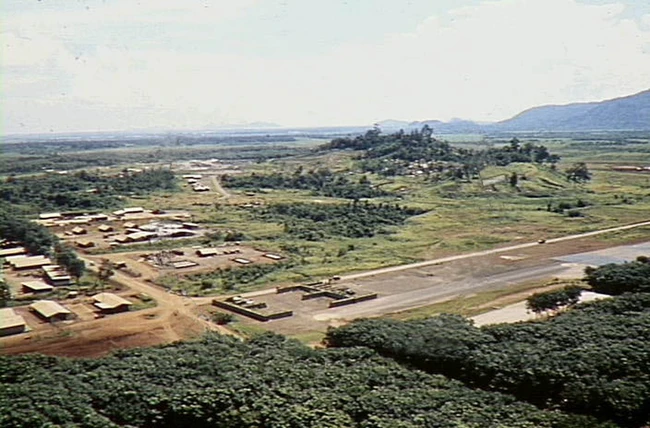
Phía trong căn cứ quân sự được chia thành 5 khu vực, ở giữa là sở chỉ huy và nhà cố vấn Mỹ, xung quanh là khu nhà nghỉ sĩ quan, doanh trại các tiểu đoàn, khu hậu cần, kho vũ khí, nhà xe, trong đó hầu hết doanh trại đều là nhà xây, mái lợp ngói.
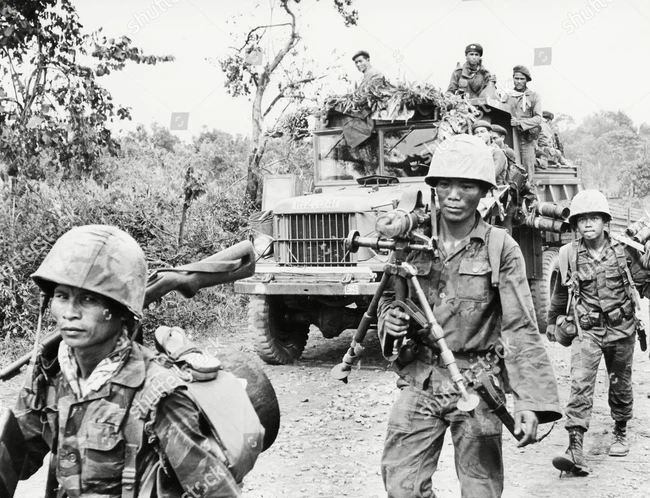
Để bảo đảm an toàn, địch tổ chức 1 đại đội thám báo làm nhiệm vụ tuần tra, phục kích ở bên ngoài căn cứ và 1 đại đội thám báo mật sống lẫn trong dân để dò la tin tức. Tại căn cứ còn có trung tâm đào tạo biệt kích, huấn luyện lính mới và kho chứa vũ khí lớn để trang bị cho các đơn vị mới thành lập của địch.
Cuối năm 1959, chính quyền Ngô Đình Diệm tăng cường đàn áp, khủng bố nhằm dập tắt phong trào cách mạng miền Nam, phá hoại Hiệp định Giơnevơ 1954. Trước tình hình đó, quân dân miền Đông quyết định tập trung lực lượng tiến hành một trận đánh lớn, nhằm gây tác động mạnh trên chiến trường toàn miền.
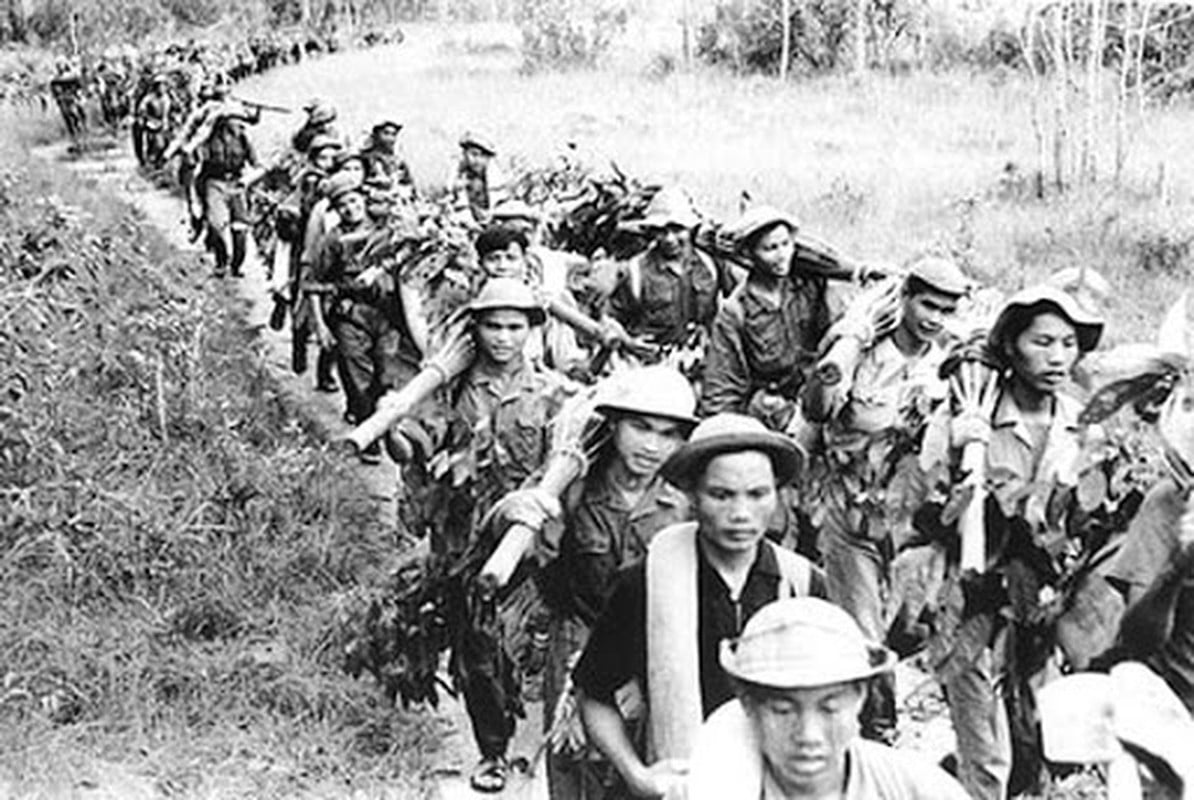
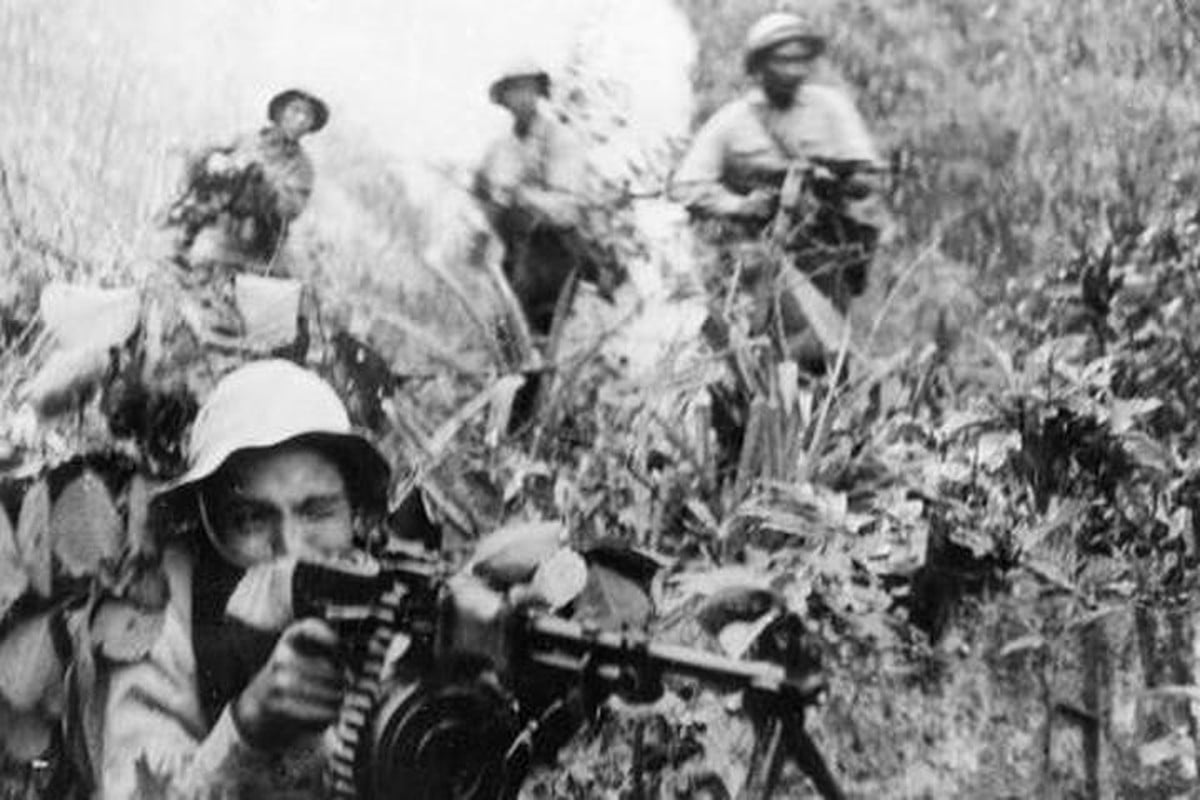
Lực lượng tham gia trận đánh gồm 3 đại đội (59, 60, 70), Đại đội đặc công 80 và 1 trung đội thuộc lực lượng Bình Xuyên, 1 trung đội địa phương tỉnh Tây Ninh; tổng số gồm 300 quân, chưa kể 300 dân công phục vụ chiến đấu; vũ khí trang bị có 1 đại liên, 4 trung liên, hơn 100 súng trường, tiểu liên và 70 trái nổ, thủ pháo.
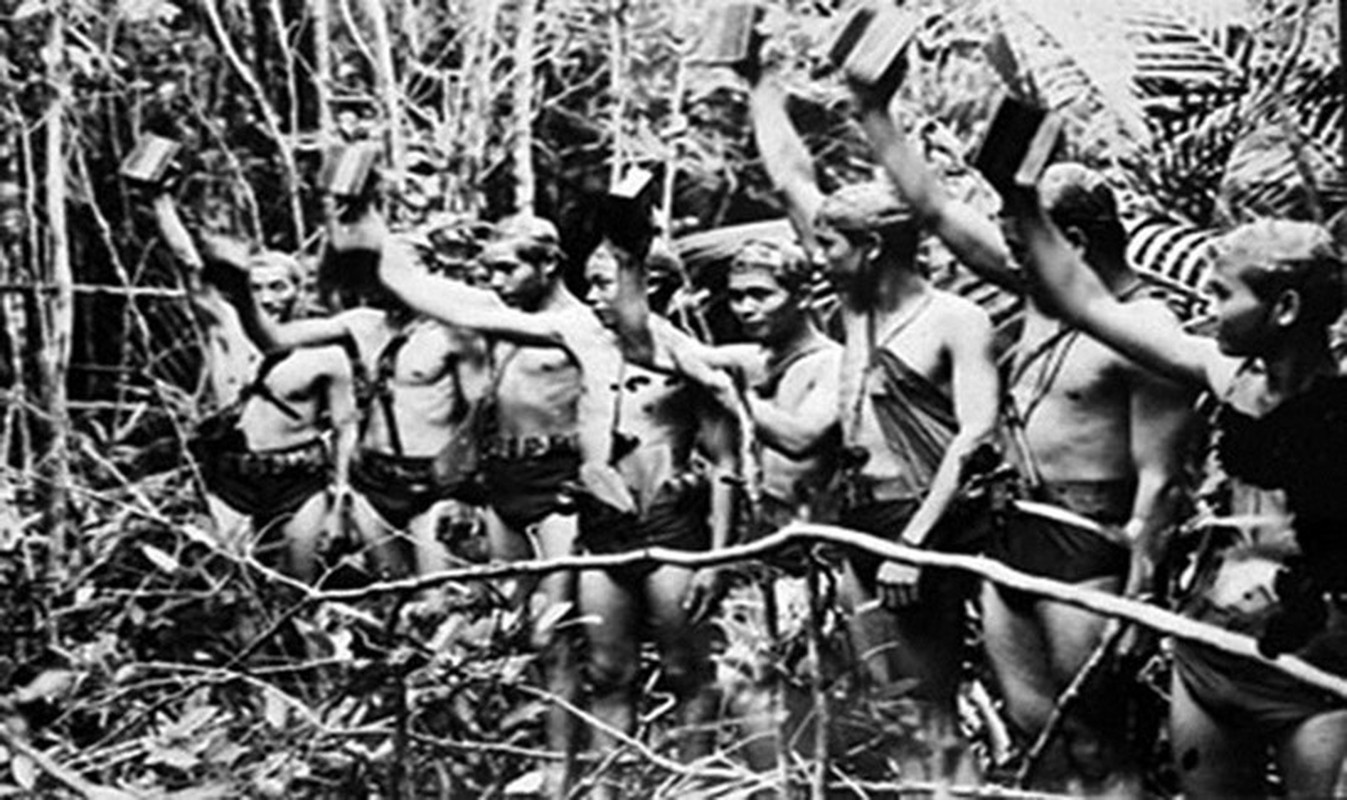
Chỉ huy trận đánh do Nguyễn Hữu Xuyến làm Chỉ huy trưởng và Mai Chí Thọ làm Chính trị viên. Sau khi nghiên cứu căn cứ địch, cách đánh được xác định là sử dụng lực lượng đặc công bí mật tiềm nhập, dùng trái nổ diệt sở chỉ huy; đồng thời các đơn vị bộ binh trên nhiều hướng đồng loạt xung phong đánh chiếm các vị trí và doanh trại của địch, thu vũ khí.
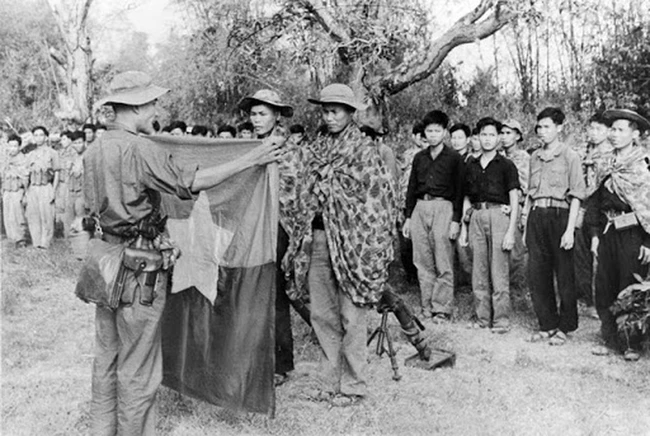
Hướng tập kích chủ yếu: hướng bắc; hướng thứ yếu hướng nam. Tổ chức lực lượng gồm bộ phận tập kích hướng chủ yếu; bộ phận tập kích hướng thứ yếu; bộ phận ngăn chặn địch chi viện.

Thời gian nổ súng dự kiến lúc 23 giờ 30 phút ngày 25/1/1960 (tức đêm 27 rạng ngày 28 Tết Nguyên đán Canh Tý). Nhưng phải lui lại 1 giờ, do trước đó phần lớn quân địch vừa dự liên hoan từ sân vận động Tây Ninh về căn cứ, đồng thời một bộ phận khác trong căn cứ được lệnh tập hợp tham gia càn quét ở Khe Đôn.
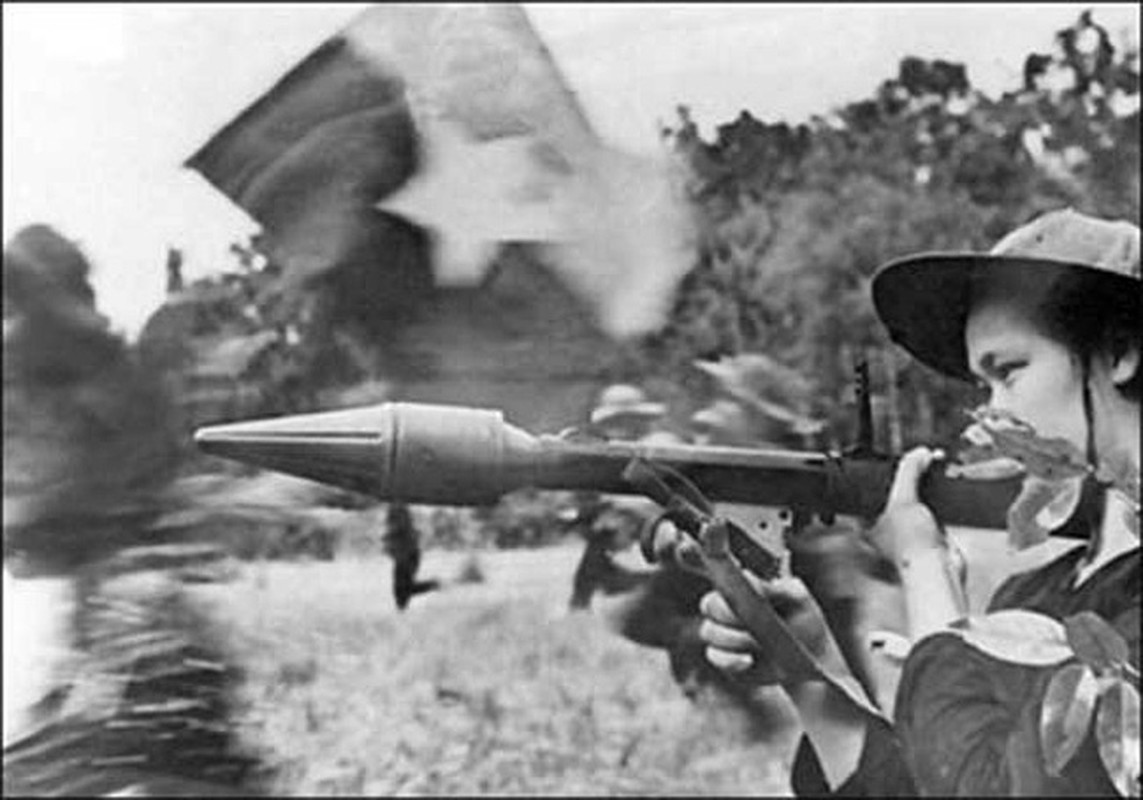
Đúng 0 giờ 30 phút ngày 26/1, toàn lực lượng nhận lệnh nổ súng. Trên hướng chủ yếu, lực lượng đặc công sử dụng bộc phá đánh vào sở chỉ huy và dãy nhà ở sĩ quan, đồng thời các mũi bộ binh nhất loạt xung phong đánh chiếm các vị trí địch ở phía bắc căn cứ, gồm doanh trại các tiểu đoàn 1, 2, trận địa pháo và 3 kho súng.
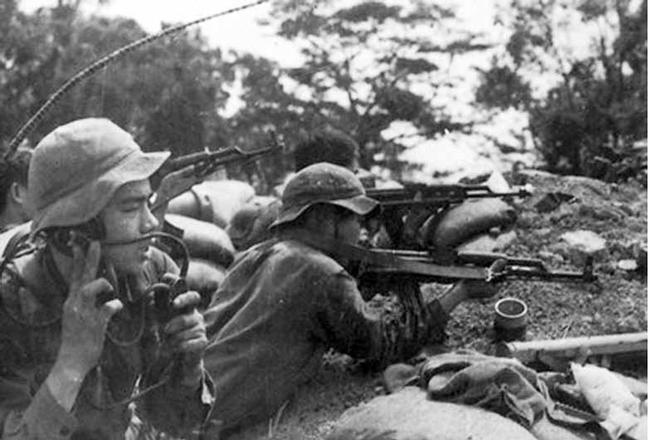
Trên hướng thứ yếu, các tổ đặc công và bộ binh phối hợp đánh chiếm doanh trại Tiểu đoàn 3, khu hậu cần và đại đội nhà xe ở phía nam căn cứ. Bị đánh bất ngờ, ngay từ đầu Sở chỉ huy Trung đoàn 32 bị tiêu diệt đã khiến cho đại bộ phận quân địch tê liệt, hoảng loạn rút chạy hoặc đầu hàng.
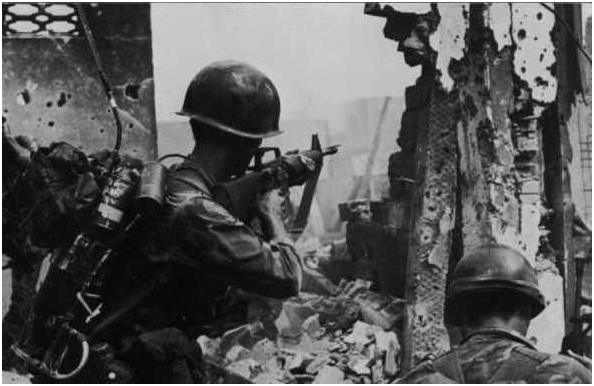
Tuy nhiên, do Đại đội 70 xung phong chậm, để cho một bộ phận quân địch chạy thoát ra ụ chiến đấu bờ thành phía đông bắc, dùng súng đại liên bắn trả quyết liệt, gây cho ta một số thương vong.
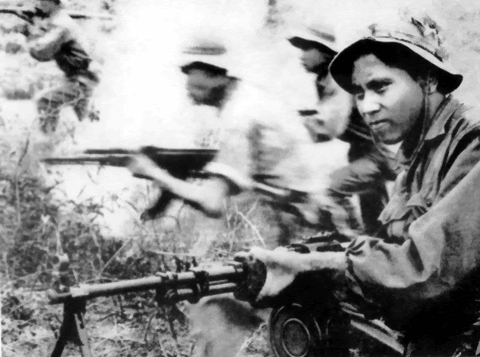
Trước tình hình đó, Chính trị viên Đại đội 59 Nguyễn Trọng Tâm, lập tức lệnh cho bộ đội lấy súng đại liên trong kho vừa chiếm được, kịp thời bắn chế áp, tạo điều kiện cho toàn đơn vị tiếp tục tiêu diệt địch làm chủ căn cứ, bảo vệ dân công vào thu vũ khí, chiến lợi phẩm.
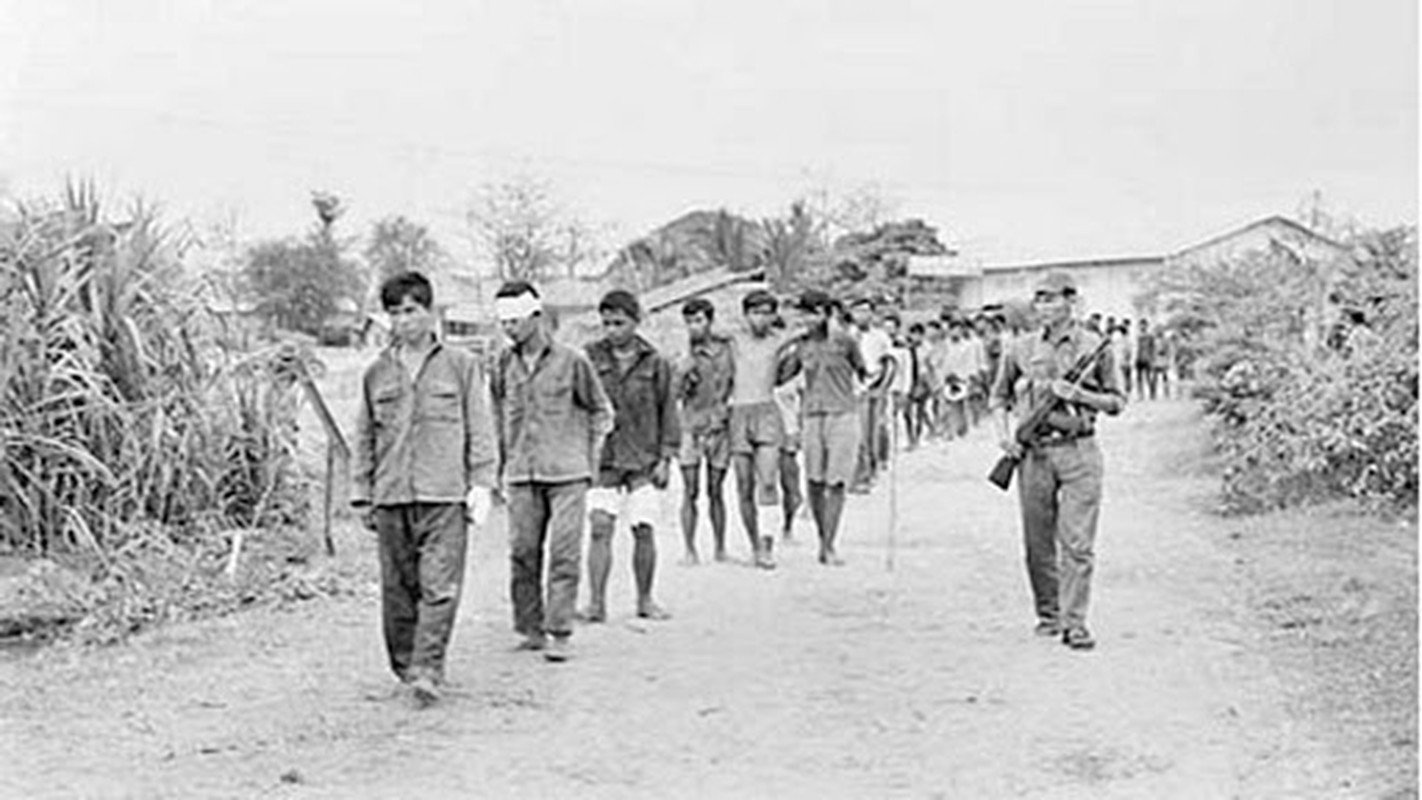
Kết quả, ta tiêu diệt 76 tên, bắt, giáo dục và thả tại chỗ hơn 400 quân, thu gần 1.500 súng các loại cùng. Sau đó lực lượng ta tổ chức thành ba xe tải chở vũ khí, nhưng trên đường vận chuyển phải bỏ lại để tránh bị địch truy kích.

Chiến thắng Tua Hai đánh dấu bước phát triển mới về trình độ tổ chức, chỉ huy, hiệp đồng tác chiến của lực lượng vũ trang cách mạng, đồng thời mang ý nghĩa chính trị to lớn, góp phần làm thất bại cuộc chiến tranh một phía do Mỹ và chính quyền Ngô Đình Diệm tiến hành ở miền Nam. Nguồn ảnh: TL.
Subscribe to:
Posts (Atom)